NOA Connection
About
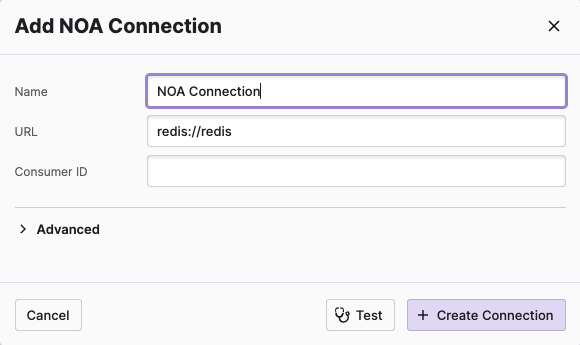
The NOA Connection allows you to connect HELIO to an edge device and
access the common bus there.
Test First!
Before creating the actual connection, make sure to
validate that HELIO can connect to your PLC by using the Test
action.
If your test was successful, it's the right time to hit Create Connection.
Basic Options
Name
Will be used by HELIO internally to differentiate between multiple connections.
URL
Use the “redis://” protocol to access the local “redis” bus. NOA blocks access to its internal bus from outside devices due to security reasons.
Advanced
Use these advanced settings to adjust low level inner workings of connection.
Be Warned, Young HELIOnaut!
Only change and adjust these settings if you know what you are doing.
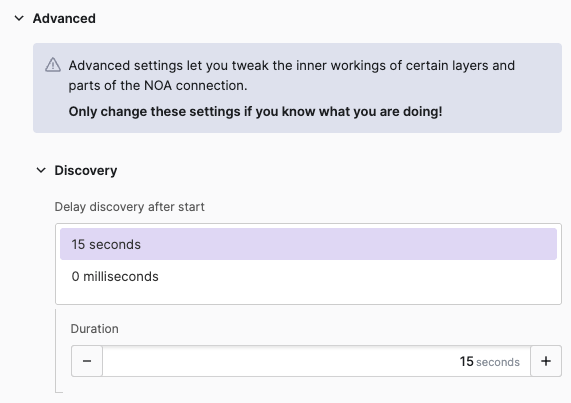
Discovery
Delay discovery after start
Delays the discovery of the connection to give the PLC or data provider time to start before HELIO connects. The total delay is the sum of the seconds and milliseconds fields — for example, 2 seconds and 500 milliseconds results in a 2.5 second delay. Defaults to 15 seconds.